Skincare-Filter-Web-Application
Skincare Allergy Filter

 Disclaimer: This app is a helper tool and not a substitute for professional medical advice. Always consult a dermatologist for severe allergies.
Project Overview
The Skincare Allergy Filter provides an instant safety check by cross-referencing product ingredient lists against a user’s personal allergen profile to flag potential sensitivities. The next milestone is the implementation of the Synonym Mapper, an intelligent alias-aware engine designed to resolve the industry-wide problem of ingredient labeling variability by mapping chemical synonyms and INCI names to single canonical allergens.
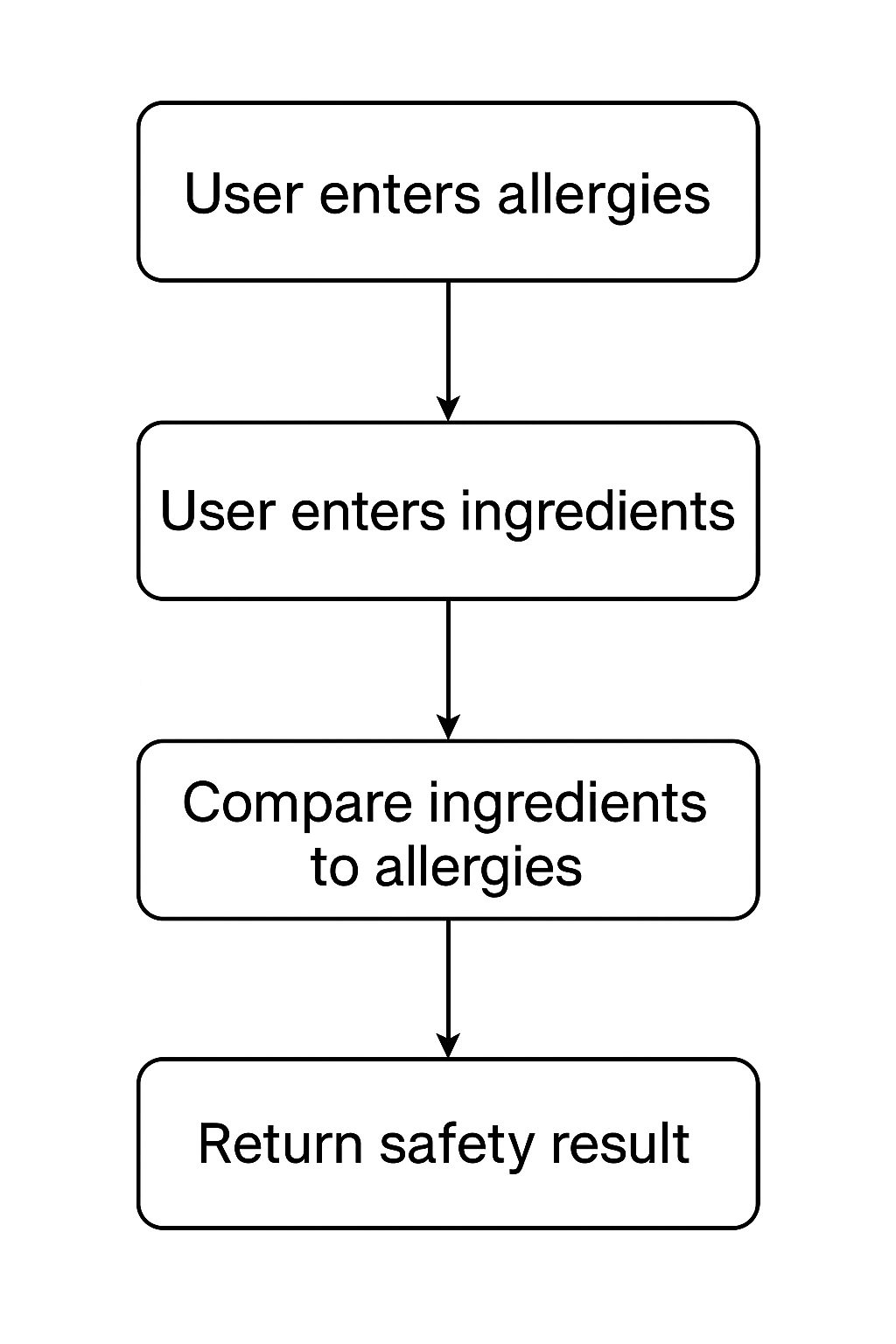
⚙️ Project Workflow Diagram
Diagram flow of data through application represents Phase 1 (exact matching) and Phase 2 (alias resolution) will extend the pipeline.
Features
✅ Built
- Personal allergen profile — Select from a catalog of 80+ ingredients across four categories (contact/topical, food, inhalant, other); record severity, source, and reaction history per allergen
- Ingredient safety check — Paste any product’s ingredient list; the app tokenizes, normalizes (case-insensitive, whitespace-stripped), and cross-references it against the user’s active profile
- Fail-fast detection — Flags a product unsafe at the first allergen match and names the offending ingredient
- Admin catalog management — Activate/deactivate allergens, bulk actions with audit logging
- User authentication — Account creation and login via a custom user model
🔄 In Progress
- Allergy profile forms — User-facing create/edit forms with dynamic allergen selection (category → specific allergen cascading)
- Test coverage — Comprehensive tests for allergy profile CRUD and form validation
📋 Planned
- Alias-Aware Matching (Synonym Mapper) — The core technical next step. Maps every known surface form of an ingredient (INCI name, common name, abbreviation) to a single canonical allergen record, so “Vitamin C”, “L-Ascorbic Acid”, and “Ascorbate” all match the same allergy. Transforms the product from a string checker into an intelligent ingredient safety tool.
- Product check form — Full POST handling and result display on the product page
- User management pages — Profile view, edit, and list
- Image/OCR capture — Photograph a product label instead of typing the ingredient list
- Barcode scanning — Automatic ingredient lookup from a product barcode
How It Works
- Users enter their personal allergies (e.g., nuts, parabens, fragrance).
- Users input the skincare product’s ingredient list.
- The application compares the ingredient list against the user’s allergies.
- The app returns a result:
- Safe: No allergens detected.
- Unsafe: Product contains one or more allergens.
Tech Stack
- Framework: Python Django 6.0 (handles both frontend and backend)
- Database: SQLite (Development) & PostgreSQL (Production)
- Python: 3.13 (Aligned with Django 6.0 requirements)
- Package Management: uv (fast, reliable dependency resolver with lockfiles)
Quick Start
Get up and running in 5 minutes:
- Install uv (if not already installed):
# Windows powershell -ExecutionPolicy ByPass -c "irm https://astral.sh/uv/install.ps1 | iex" # macOS/Linux curl -LsSf https://astral.sh/uv/install.sh | sh - Clone and navigate:
git clone https://github.com/RJChoe/Skincare-Filter-Web-Application.git cd Skincare-Filter-Web-Application - Set up Python environment:
uv python install 3.13 uv python pin 3.13 uv venv uv sync --group dev - Run migrations and start server:
uv run python manage.py migrate uv run python manage.py runserver - Run tests:
uv run pytest - Set up pre-commit hooks (optional):
uv run pre-commit install
Note: Commands use uv run so manual venv activation is optional.
Documentation
| Guide | Description |
|---|---|
| Product Overview | Feature scope, user flows, known limitations |
| Installation & Deployment | Local setup, CI/CD, hosting providers |
| Testing & Coverage | Running tests, coverage targets, patterns |
| ARCHITECTURE | System design, data flow, decisions |
| Contributing | Development workflow, code style, gates |
| Security | Environment variables, production hardening |
Usage
- Enter your personal allergies.
- Input the ingredients of a skincare product.
- Click “Check Safety”.
- View the results indicating whether the product is safe.
Screenshots/Demo
Here’s an example of how the app looks:
Coming Soon
Troubleshooting
Common setup issues and quick fixes:
- Coverage below 75% threshold: If tests fail with “coverage is below 75%”:
- Temporary bypass: Run tests without coverage:
uv run pytest --no-cov - Adjust threshold: Temporarily lower
fail_undervalue inpyproject.tomlunder[tool.coverage.report](remember to restore it) - Add tests: Write additional tests to increase coverage before committing
- Temporary bypass: Run tests without coverage:
- GitHub status checks blocking merge: If PR shows “Some checks failed” despite local tests passing:
- Check the Actions tab in GitHub to see which workflow step failed
- Verify the
buildandtestjobs completed successfully - Check if
codecov/projectstatus shows coverage drop - Review the PR comments for Codecov report details
- Activation policy error (PowerShell): If you see “running scripts is disabled on this system”:
Set-ExecutionPolicy -Scope Process -ExecutionPolicy Bypass .\.venv\Scripts\Activate - Python not found: Use uv to manage Python installations.
uv python install 3.13 uv python pin 3.13 uv venv uv sync --group dev - Migrations/app errors: Ensure apps are installed and migrations ran.
uv run python manage.py showmigrations uv run python manage.py makemigrations allergies users uv run python manage.py migrate - Port already in use: Run on a different port.
uv run python manage.py runserver 8001
Contact
- Developer: Rebecca Jisoo Simpson

- GitHub: RJChoe